


There are lots of self-hosted note-taking apps and plenty of link-saving and bookmarking apps. But not many apps let you do both in one place. That's where Karakeep comes in. It handles both tasks and more.
What is Karakeep?
Karakeep is a self-hostable bookmark-everything app (links, notes and images) with AI-based automatic tagging and full text search.
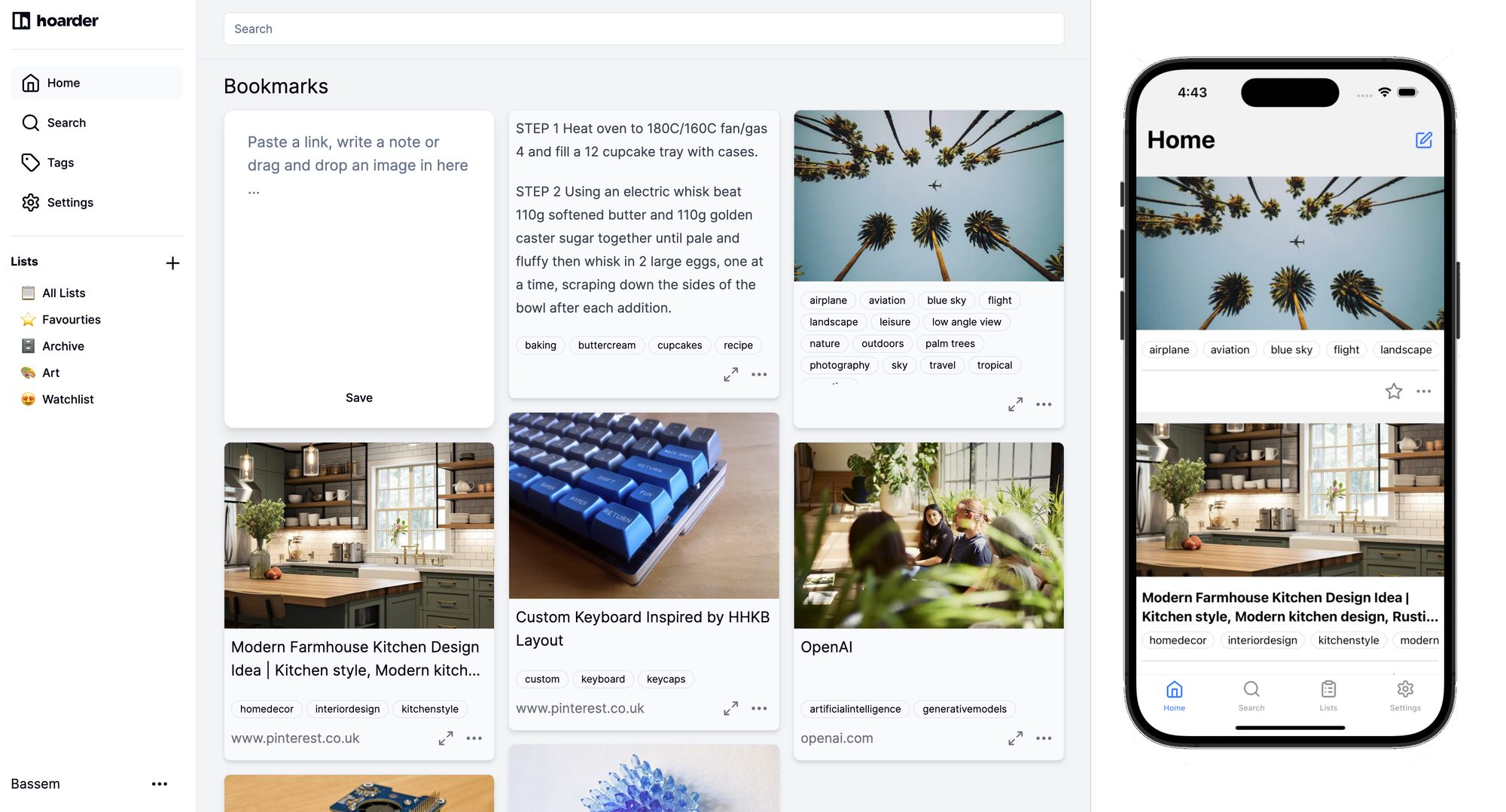
Karakeep is quite the fun tool for creating notes, saving links and images making it easy to... well, hoard all your data in one place.
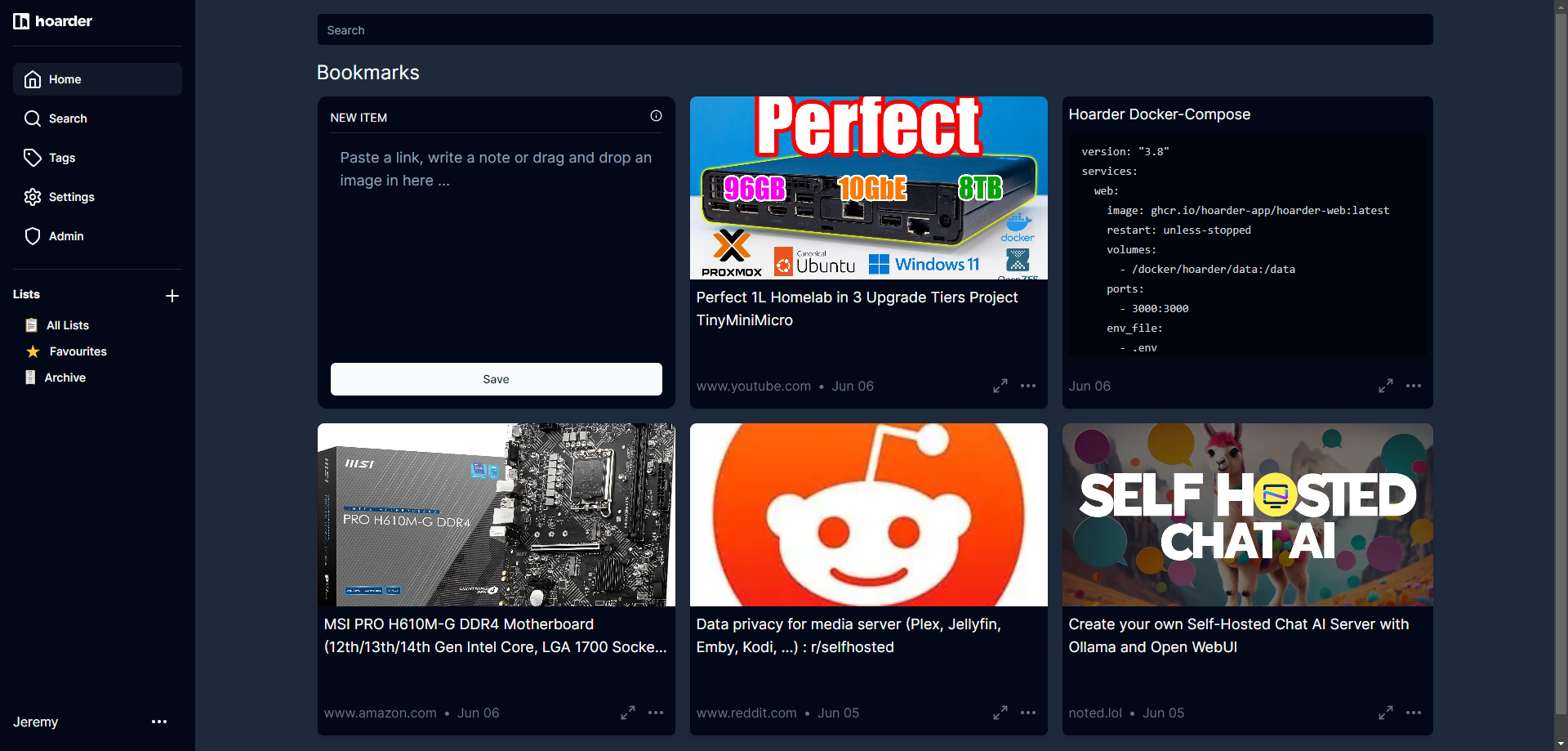
Did I mention it also has a Chrome and Firefox extension? Yeah it has that too! You can quickly save pages with a flick of a button on the extension to your self-hosted Karakeep app. Just plop in the server address, log in and it's done.
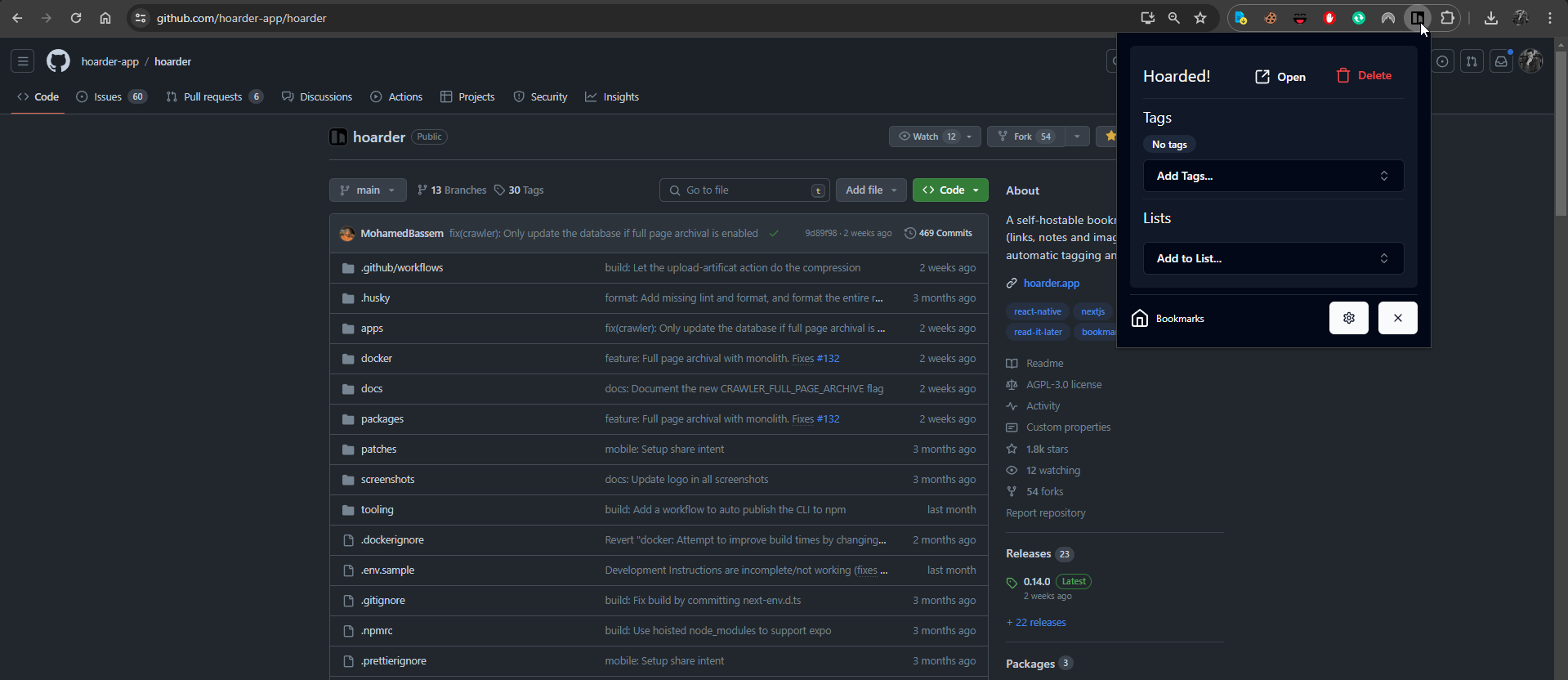
You can add tags and add it to a list straight from the extension. But let's look closer at the app itself and all the features behind it.
Karakeep Primary Features
- Bookmark links, take simple notes and store images.
- Automatic fetching for link titles, descriptions and images.
- Sort your bookmarks into lists.
- Full text search of all the content stored.
- AI-based (aka chatgpt) automatic tagging. With supports for local models using ollama!
- Chrome plugin and Firefox addon for quick bookmarking.
- An iOS app, and an Android app.
- Dark mode support (web only so far).
- Self-hosting first.
- [Planned] Downloading the content for offline reading.
Install Karakeep using Docker
If you don't have Docker installed and need help getting started, I recommend checking out our self-hosting guides for beginners. These guides cover the basics of setting up a small server to host apps using Docker. They're designed to help you get up and running smoothly, even if you're new to self-hosting.
For more detailed instructions, see the Karakeep documentation here.
First you will need to create an .env file with the following:
KARAKEEP_VERSION=release
NEXTAUTH_SECRET=super_random_string
MEILI_MASTER_KEY=another_random_string
NEXTAUTH_URL=http://localhost:3000
Change the secret keys if you wish.
Create a docker-compose.yml file and place it along side the .env file with the following:
version: "3.8"
services:
  web:
    image: ghcr.io/karakeep-app/karakeep:${KARAKEEP_VERSION:-release}
    restart: unless-stopped
    volumes:
      # By default, the data is stored in a docker volume called "data".
      # If you want to mount a custom directory, change the volume mapping to:
      # - /path/to/your/directory:/data
      - data:/data
    ports:
      - 3000:3000
    env_file:
      - .env
    environment:
      MEILI_ADDR: http://meilisearch:7700
      BROWSER_WEB_URL: http://chrome:9222
      # OPENAI_API_KEY: ...

      # You almost never want to change the value of the DATA_DIR variable.
      # If you want to mount a custom directory, change the volume mapping above instead.
      DATA_DIR: /data # DON'T CHANGE THIS
  chrome:
    image: gcr.io/zenika-hub/alpine-chrome:123
    restart: unless-stopped
    command:
      - --no-sandbox
      - --disable-gpu
      - --disable-dev-shm-usage
      - --remote-debugging-address=0.0.0.0
      - --remote-debugging-port=9222
      - --hide-scrollbars
  meilisearch:
    image: getmeili/meilisearch:v1.13.3
    restart: unless-stopped
    env_file:
      - .env
    environment:
      MEILI_NO_ANALYTICS: "true"
    volumes:
      - meilisearch:/meili_data

volumes:
  meilisearch:
  data:
Run docker compose up -d to deploy Karakeep from the terminal.
You can change the volume locations to your needs for persistent data. Keep in mind this needs that .env file in order to work properly. You can implement OpenAI for automatic tagging if you wish but we will not be covering that today.
Using Karakeep
Currently, Karakeep is behind authentication and only available for private use which is fine for most people. So you will have to register a new account. The first account will be setup as the administrator of Karakeep. They have been looking at ways to allow users to share notes publicly here and here.
Once logged in you can paste a link and Karakeep will fetch the data to be displayed including cached content or text, a screenshot and soon to come an archive for offline viewing of the content. Perhaps as a PDF? Not sure yet but we will see soon!
You can view the saved data by clicking on the expand icon on the lower right side of the bookmark card.
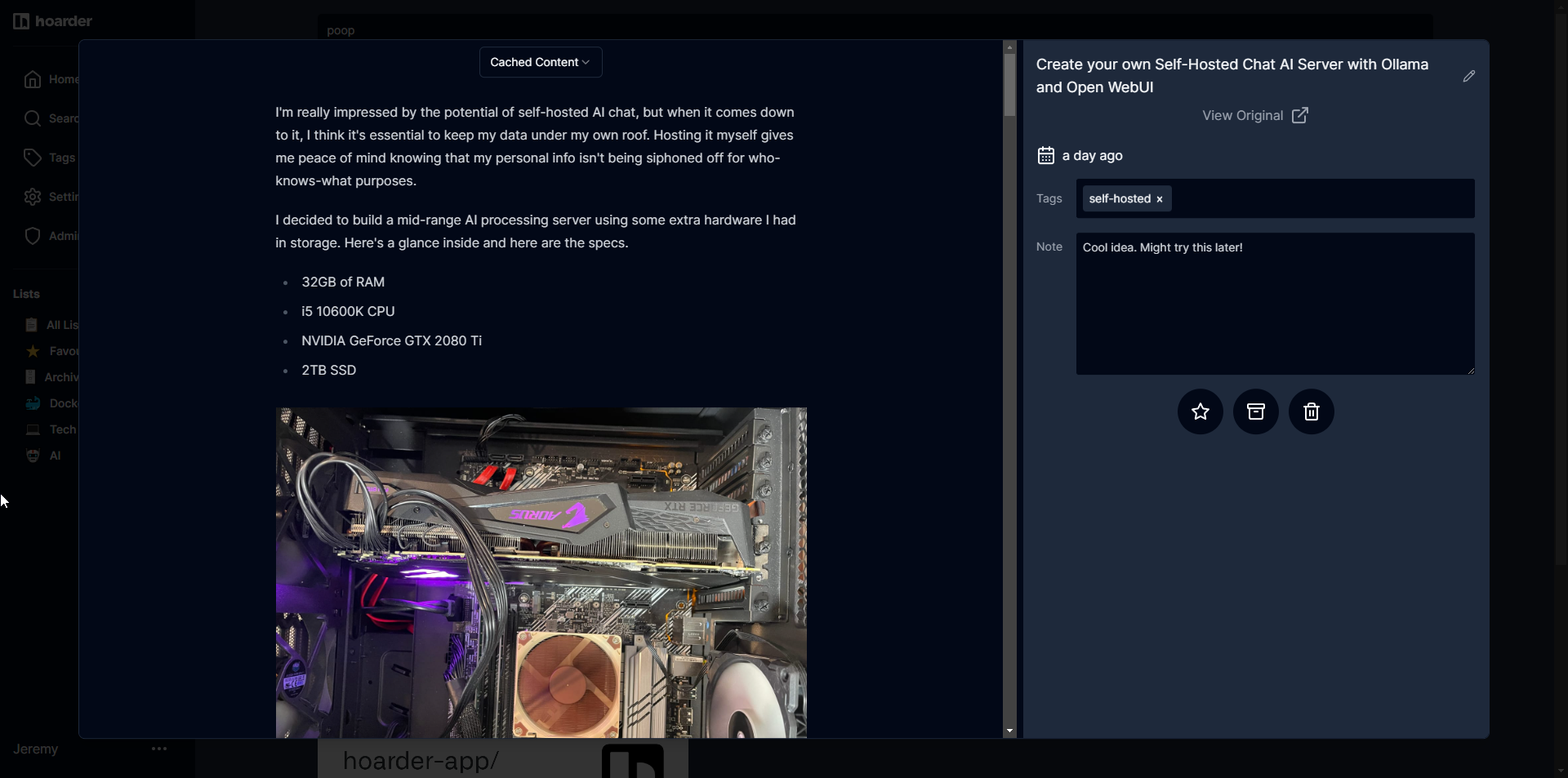
From here, you can add tags and create notes that will appear in search results, which I think is just awesome! At the top, there's a small dropdown menu where you can switch from Cached Content to Screenshot. Soon, you'll also be able to access archived content. This feature makes organizing and finding your information so much easier.
Karakeep has mobile apps for both iOS and Android, which is great for keeping everything synced across devices. I haven't checked them out yet, but I've heard they are pretty awesome from folks on the selfhosted Reddit sub. They say the mobile experience is smooth and feature-rich, making it easy to access your notes, links, and images on the go. I'm excited to see how well it works in my daily routine.
Introducing Hoarder 📦 - An open source Bookmark-Everything app with AI based tagging (mymind open source alternative)
by u/MohamedBassem in selfhosted
Final Notes and Thoughts
Mohamed Bassem, the creator of Karakeep, is really passionate about the project. He's actively working on it and welcomes ideas and requests from users. If you have any suggestions, issues, or just want to say thank you, head over to the Karakeep project page on GitHub and check it out.
I've been using Memos for things like this, and I recently discovered that the creator of Karakeep used to use Memos too. What a coincidence! I've been searching for an all-in-one solution for links, notes, images, and code snippets, and Karakeep just might be the answer. It was designed with people like us in mind, bringing everything together in one convenient place. This could really streamline how I organize my information and I hope you are as excited to use Karakeep as I am!
Update: Hoarder has been renamed to Karakeep due to some naming conflicts. See more information here
Hoarder is rebranding to Karakeep
by u/MohamedBassem in selfhosted


Discussion