


What is Ghostboard?
Ghostboard is a minimalist tool that lets users share and synchronize text in real-time across multiple devices. It includes a WebSocket server and both a web-based and command-line client. Whether you're quickly sharing notes between devices or maintaining centralized text content within your network, Ghostboard keeps everything synchronized effortlessly.
One key thing to note: Ghostboard does not have encryption or advanced security features. This makes it ideal for trusted environments but unsuitable for public deployment without extra precautions.
Why I Created Ghostboard
As someone who often moves between containers, virtual machines, and servers, I found that even simple tasks like transferring text were more cumbersome than they needed to be. Emailing myself, making notes in Nextcloud, or using other workarounds always felt just a bit too involved for quick transfers. I wanted a tool that made sharing text between machines as easy as possible—something that could be accessed with either a graphical interface or a terminal.
That's where Ghostboard comes in. It’s designed to be lightweight and accessible, giving users a frictionless experience for text sharing without extra setup or overhead.
Community Engagement and Collaboration
One of the most rewarding aspects of working on Ghostboard has been the incredible level of community engagement. Users have shared insightful suggestions, leading to improvements like the dark mode and markdown editor. This experience has shown me the power of collaboration and how important it is to create something truly helpful. Ghostboard's continued development is fueled by this collective effort, making it better for everyone.
How Ghostboard Works
At its core, Ghostboard uses a Python-based WebSocket server to maintain live connections between clients. Here’s a high-level breakdown of the process:
- Server Start-Up: When you launch the Ghostboard server, it listens for HTTP requests (to serve the webpage and REST API) and WebSocket connections (for real-time syncing).
- Client Connections: A browser-based client or command-line client connects via WebSocket to the server. Each board (like
/notesor/myboard) is handled as a separate channel, so users can maintain different text spaces. - Real-Time Sync: Any time one connected client types or updates text on a particular board, the change is instantly broadcast to every other client viewing the same board. This is done via WebSocket messages, ensuring minimal latency.
- REST API: For more automated tasks, you can use the REST endpoints to post or retrieve text from a given board. This makes Ghostboard ideal for scripts or pipeline integrations.
- Lightweight Persistence: Ghostboard stores the text in memory, making it ultra-fast. By default, if nobody is connected to a board for a certain period, the board text is cleared. This design is intentional for easy ephemeral usage.
This architecture keeps Ghostboard responsive, easy to deploy, and free from unnecessary complexity—perfect for self-hosted scenarios!
Features Overview
Here are some highlights of what Ghostboard offers:
- Real-Time Text Synchronization: Changes to the text are immediately reflected across all connected clients.
- Multiple Boards: Each unique URL path (e.g.,
/notesor/project-ideas) creates a separate board with its own synchronized text field. - Dark Mode & Modern Styling: Includes a user-friendly dark mode toggle and refined CSS for improved readability.
- Markdown Support: Thanks to community feedback, Ghostboard now supports full markdown editing and preview.
- REST API: Easily update and retrieve text programmatically using simple API calls.
- Docker Support: Deploying Ghostboard is straightforward with prebuilt Docker images, making setup a breeze.
Setting Up Ghostboard
Getting Ghostboard running is simple, especially if you're familiar with Docker. Here's a quick guide to get started:
Using Docker
- Access Ghostboard via your browser at
http://<server-ip>.
Run the container:
docker run --rm -p 80:80 thehelpfulidiot/ghostboard-serverPull the Ghostboard server image:
docker pull thehelpfulidiot/ghostboard-server
Manual Setup (Python)
Alternatively, if you prefer to run Ghostboard without Docker:
Start the server:
python3 get_text.py
Install dependencies:
pip install -r requirements.txt
Navigate to the server directory:
cd server
REST API Example Usage
Ghostboard's REST API lets you interact with text programmatically. Here are a couple of examples:
Retrieve Text:
curl "http://<server-ip>/notes?get_text=true"
Update Text:
curl -X POST "http://<server-ip>/notes" -d "text=Hello, World!"
Screenshots
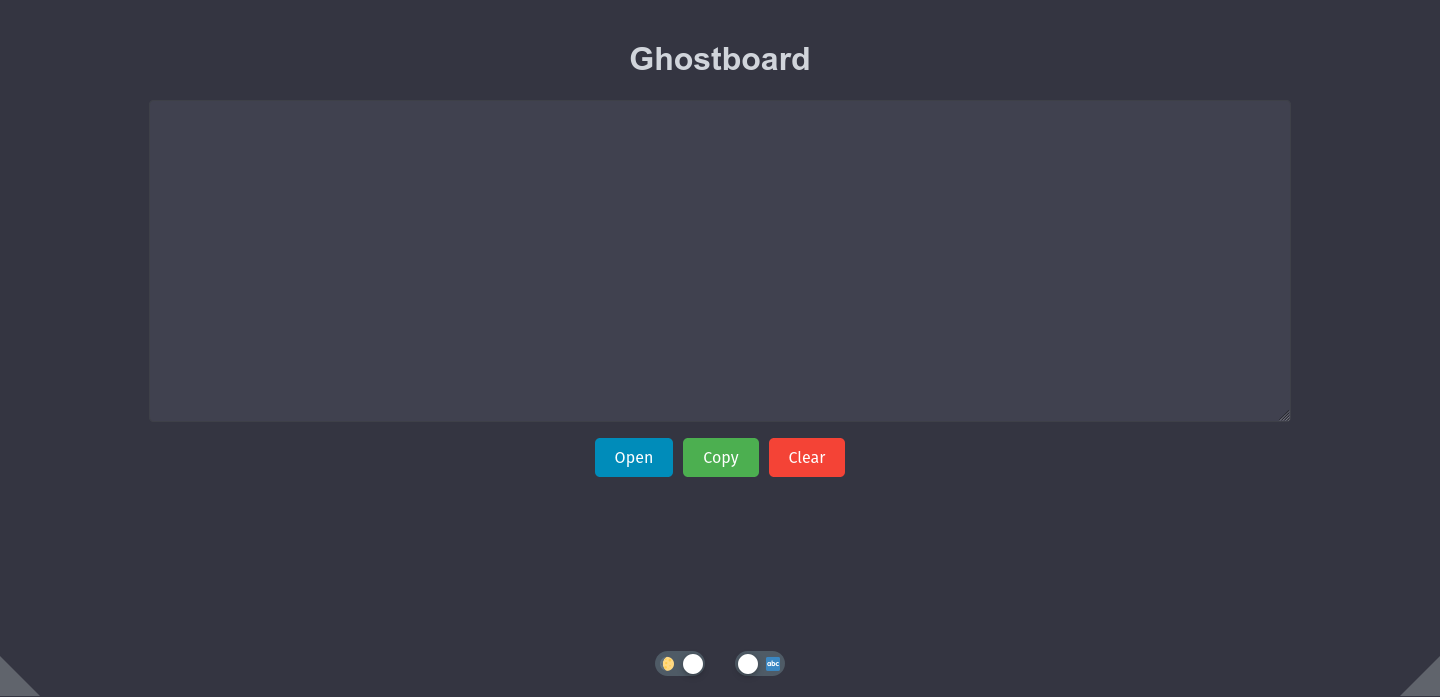
Here’s a preview of Ghostboard in action, showcasing both text and markdown editing in light and dark modes.

Future Plans
Ghostboard is continually evolving based on user feedback. Features like enhanced WebSocket handling and UI improvements are already shaping the app's future.
Try Ghostboard Today!
If you're interested in trying out Ghostboard, visit the GitHub repository. Contributions and feedback are always welcome!


Discussion