


If you run Proxmox and have ever sighed while clicking through nested menus or pasting commands into a shell, ProxMenux feels like the friend who finally shows up with a better way. It wraps the chores you do every day into a simple guided menu so you can get things done without hunting through the web UI or memorizing fragile one liners. It is open source and menu driven and it helps you move fast while avoiding the small mistakes that slow you down.
What it is and why it matters
ProxMenux Manager offers a menu driven approach to virtual machine and container operations storage tweaks network helpers and post install tasks. It runs on a node and exposes grouped actions such as creating a VM creating a container cloning exporting disk images and managing templates. Each menu item is an opinionated sequence of checks and commands that aim for safe defaults while letting you tweak important options.

The core idea is simple. Take the handful of tasks you repeat across nodes and make them fast and reproducible. The payoff is not just time saved but fewer mistakes and easier onboarding when someone else needs to follow the same steps.
The power behind the CLI tools
You install ProxMenux Manager on a test node then you launch it and you are greeted by a clean menu. The menus are terse and direct. Pick the operation answer a few prompts and let the script run the checks and the commands. The feedback is text first and pragmatic. If something went wrong you get the explicit command that failed and a short tail of the log so you know where to look.

Two benefits are immediate. First the operation speed increases because the route from intention to outcome is shorter. Second the human error surface shrinks because the menu enforces validation and consistent flags. When you manage multiple hosts the difference compounds quickly.
The added web interface is a bonus
The new web interface is a welcome bonus that complements the menu driven CLI with a visual, browser friendly view of your infrastructure. It gives you real time metrics for CPU, memory, storage, network, and SMART health, and it surfaces those signals in a clean dashboard so you can spot problems at a glance.
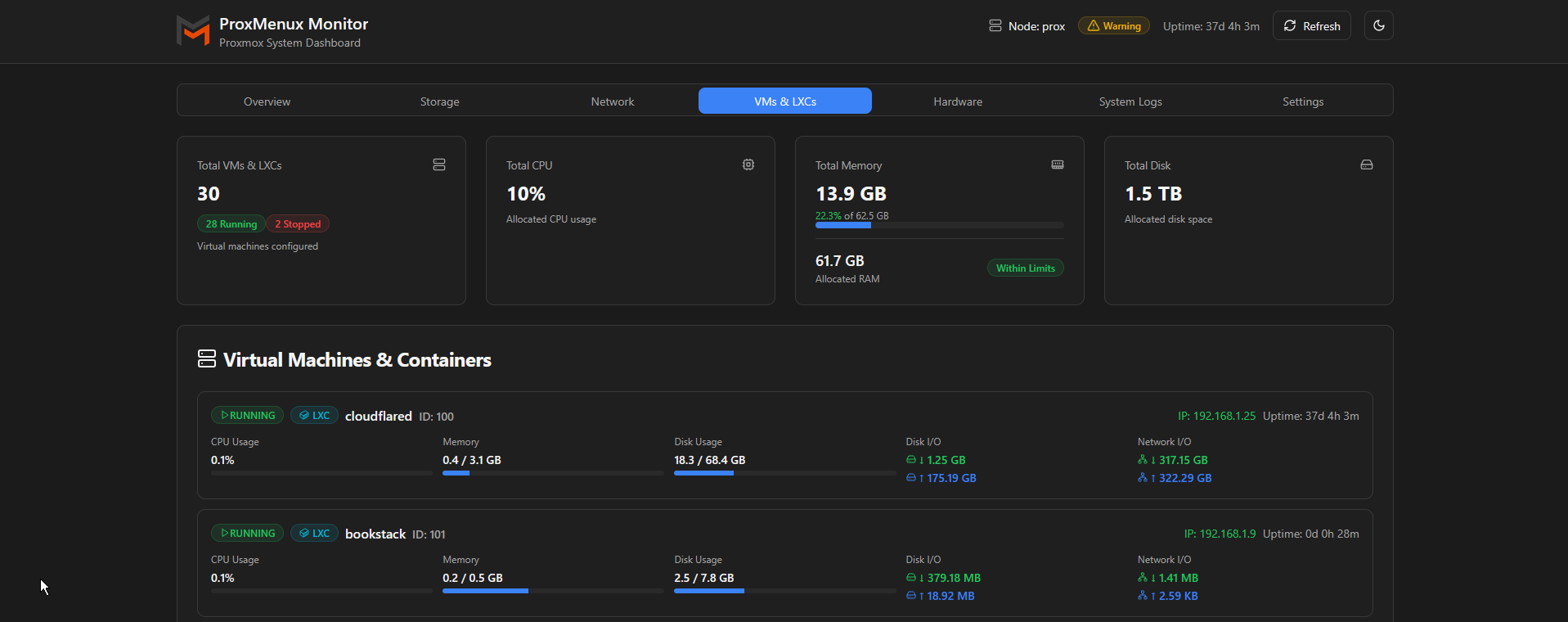
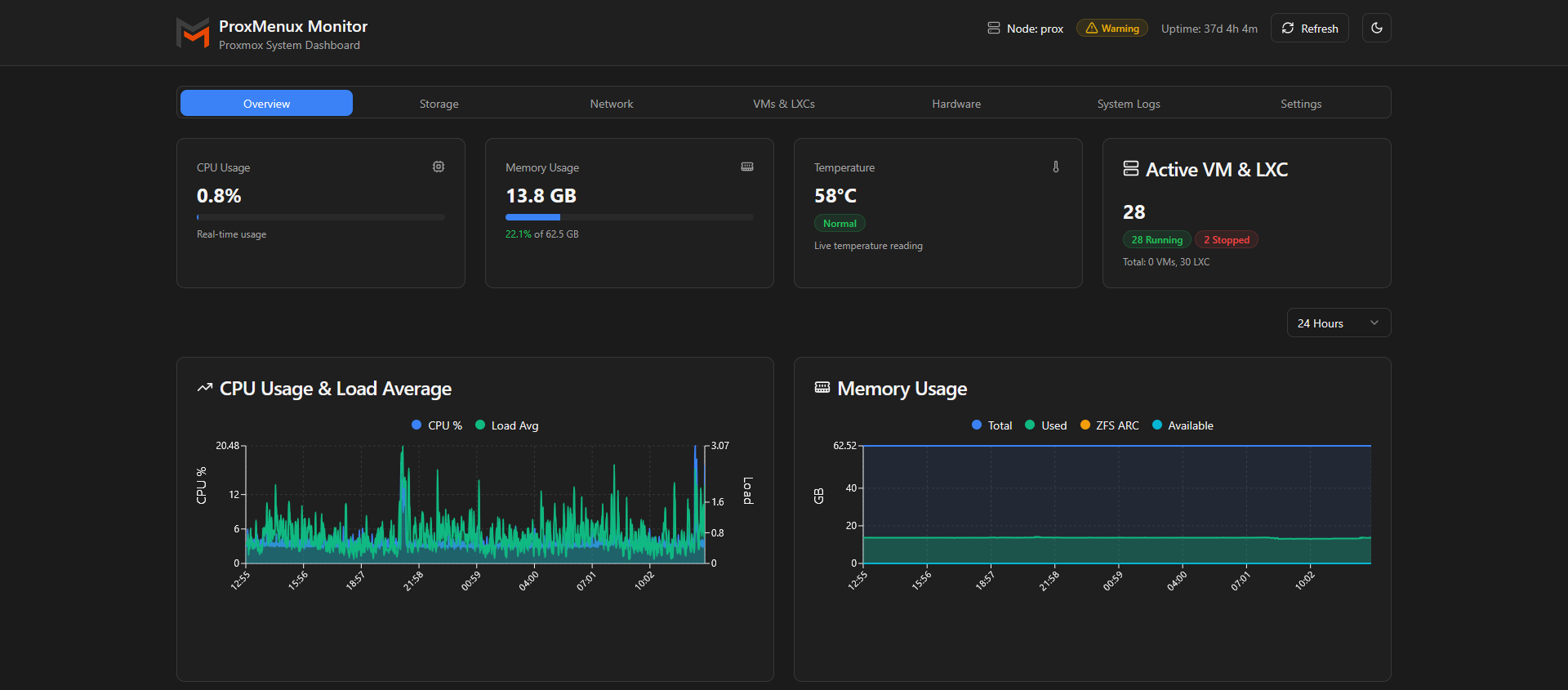
The web view does not replace the CLI, it extends it, making it easy to move from a visual summary into the guided menu when you need to take action. For home labs and production clusters alike, the dashboard speeds situational awareness and reduces the number of times you need to switch contexts to resolve an issue.
Use it as a PWA behind reverse proxy
With built in authentication and 2FA, we have a dual layer security option giving us more peace of mind when exposing this to use as a Progressive Web App. And boy does it kick some serious butt!
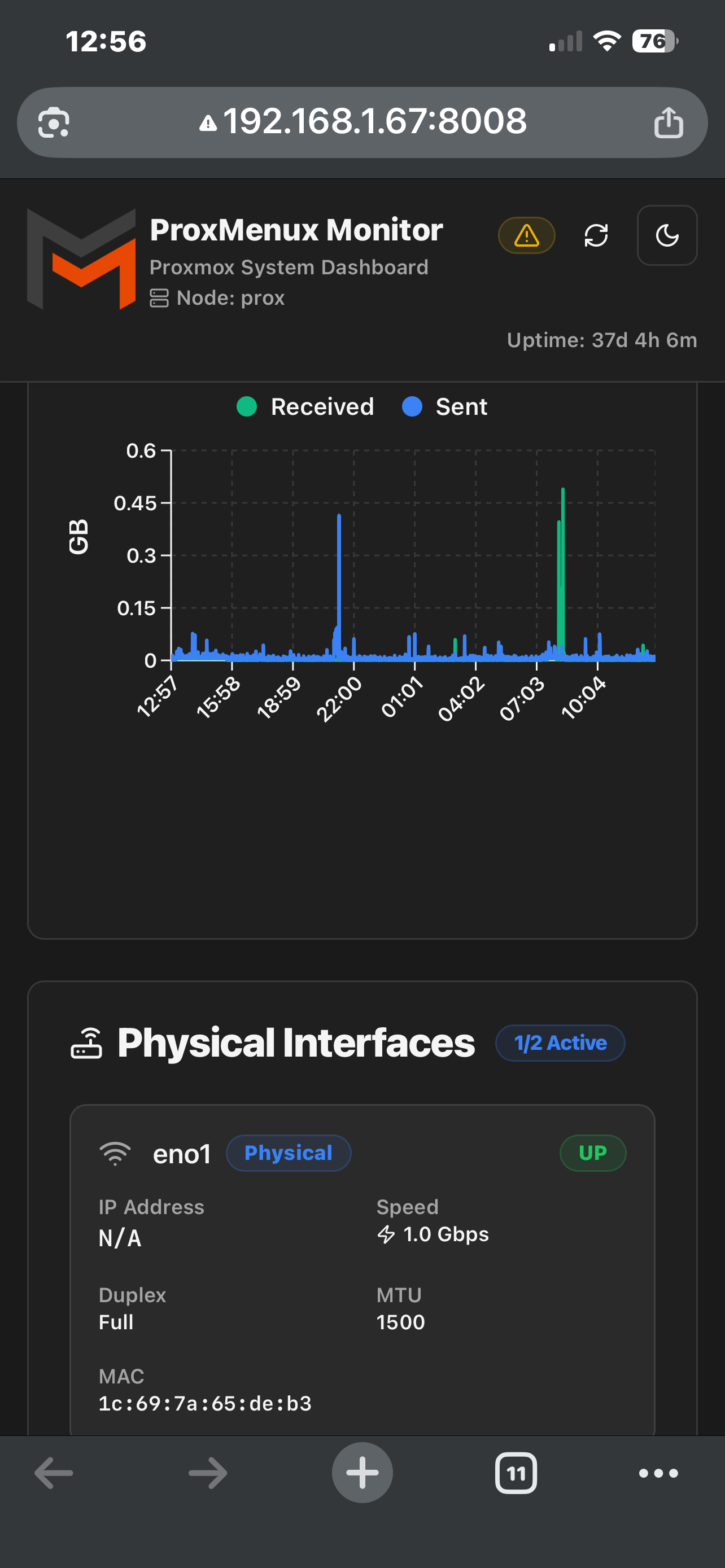
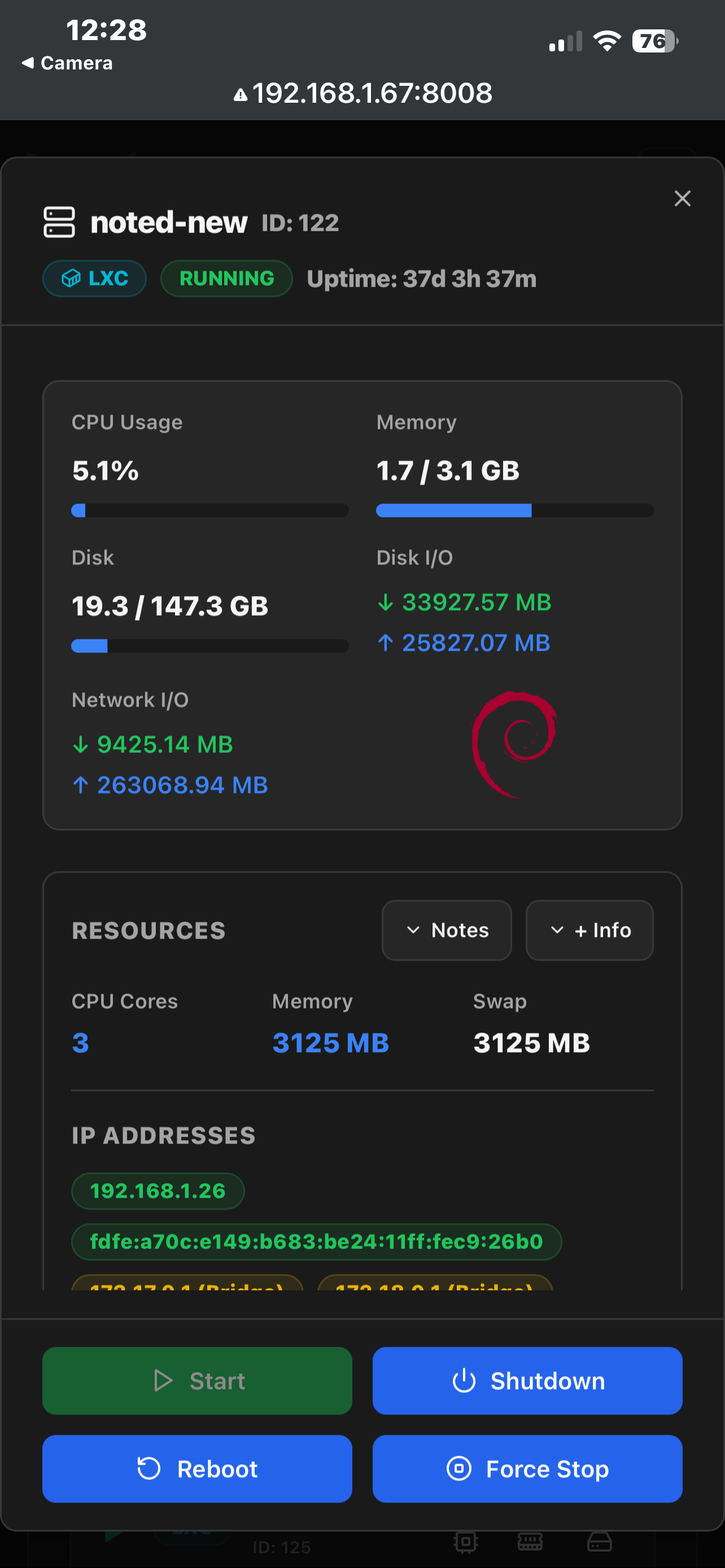

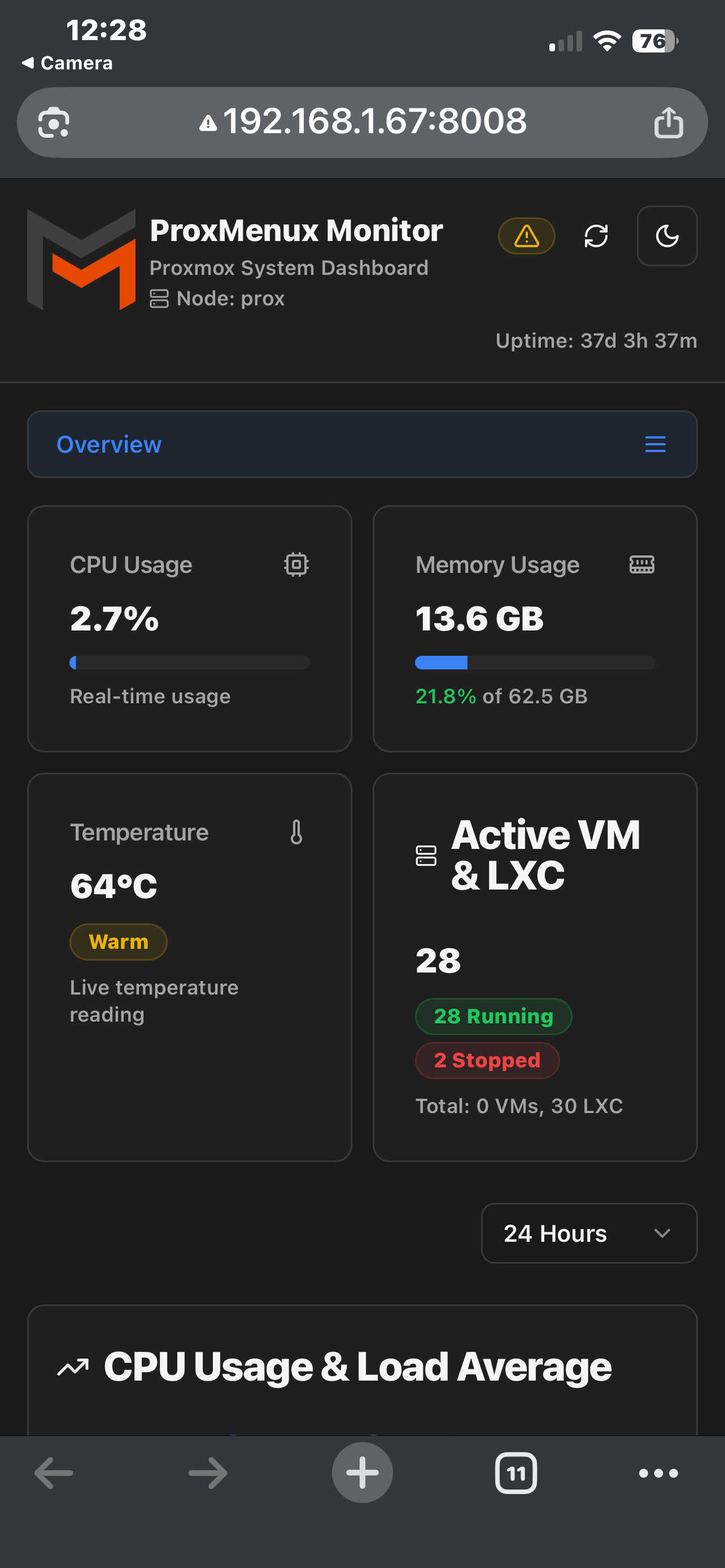
Use the ProxMenux web dashboard as a progressive web app to control LXCs and VMs from your phone.
Install ProxMenux Manager with one command
Using this single bash install command, you can have ProxMenux Manger up and running lickity split! Run the command in your Proxmox node terminal.
bash -c "$(wget -qO- https://raw.githubusercontent.com/MacRimi/ProxMenux/main/install_proxmenux.sh)"Follow the on screen dialogue and wait about 3 minutes for of the dependencies to install.

To access the web interface you can visit the IP of the Proxmox node on port 8008.
Final Notes and Thoughts
I like this a lot and I will use it as a PWA for quick access from my phone. It gives me the speed of the CLI when I need it and a friendly dashboard when I just want a glance. Installing the PWA and placing it behind a reverse proxy with HTTPS and solid auth means I can manage LXCs and VMs safely from anywhere without fumbling through the web UI or memorizing commands.
I encourage you to read more about ProxMenux Manager and give it a star on their Github repo!
 MacRimi


Discussion