


What is Stump?
Stump is a free and open-source server for comics, manga, and digital books that supports OPDS. It is built using Rust, Axum, Prisma, and React.
Stump Core Features
- Full OPDS + OPDS Page Streaming support
- EPUB, PDF, and CBZ/CBR support
- Organize libraries with collections and reading lists
- Granular access-control with managed user accounts
- Easy setup and deployment using Docker or bare metal
- Fully responsive, built-in UI with a dark mode
- Low resource utilization with excellent performance
- Easily consumable and documented REST API, so community tools and scripts can interact with Stump

There are several robust self-hostable OPDS media servers available. The developer began using Komga initially but started developing Stump because they wanted to learn more about the process of creating something similar themselves.
What is OPDS?
OPDS stands for Open Publication Distribution System. It is a protocol and format for distributing metadata and content links for ebooks, comics, and other digital publications, making it easy to discover and access content online.
In general, Stump aims to achieve the following:
- Small footprint and low resource usage
- Efficiency and performance, even on less powerful hardware (e.g., Raspberry Pi)
- An intuitive, user-friendly interface
- Wide format support (e.g., PDF, EPUB, CBZ/CBR)
Install Stump using Docker Compose
If you don't have Docker installed and need help getting started, I recommend checking out our self-hosting guides for beginners. These guides cover the basics of setting up Docker on your server. They're designed to help you get up and running smoothly, even if you're new to self-hosting. It's also good practice to use UID and PID but for the sake of this guide we are using root on a local machine that will NOT be exposed.
Use the following Docker Compose to install Stump:
services:
  stump:
    image: aaronleopold/stump
    container_name: stump
    # Replace my paths (prior to the colons) with your own
    volumes:
      - /docker/stump:/config
      - /comics:/comics
      - /magazines:/magazines
      - /ebooks:/ebooks
    ports:
      - 10801:10801
    environment:
      - PUID=1000
      - PGID=1000
    restart: unless-stopped
I strongly advise checking the Stump documentation for the latest changes in the Docker Compose config just incase things have changed.
Change the volume paths to your desired location and any other configurations you want to customize to your liking.
Stump Dashboard Tour
The first thing you will need to do is create an account that will act as the main admin account for Stump. Then, log in and add a library.
Add a Library in Stump
You will need to add a library that is mounted in the Docker Compose config. Any additional libraries will also need to be mounted.

The path of the library must match the paths of the volumes you mounted in the Docker Compose configuration.
I mounted my Comics directory as a library volume. Now I can add comics to the folder I mounted and scan them in.
Add Files to Your Library Folders
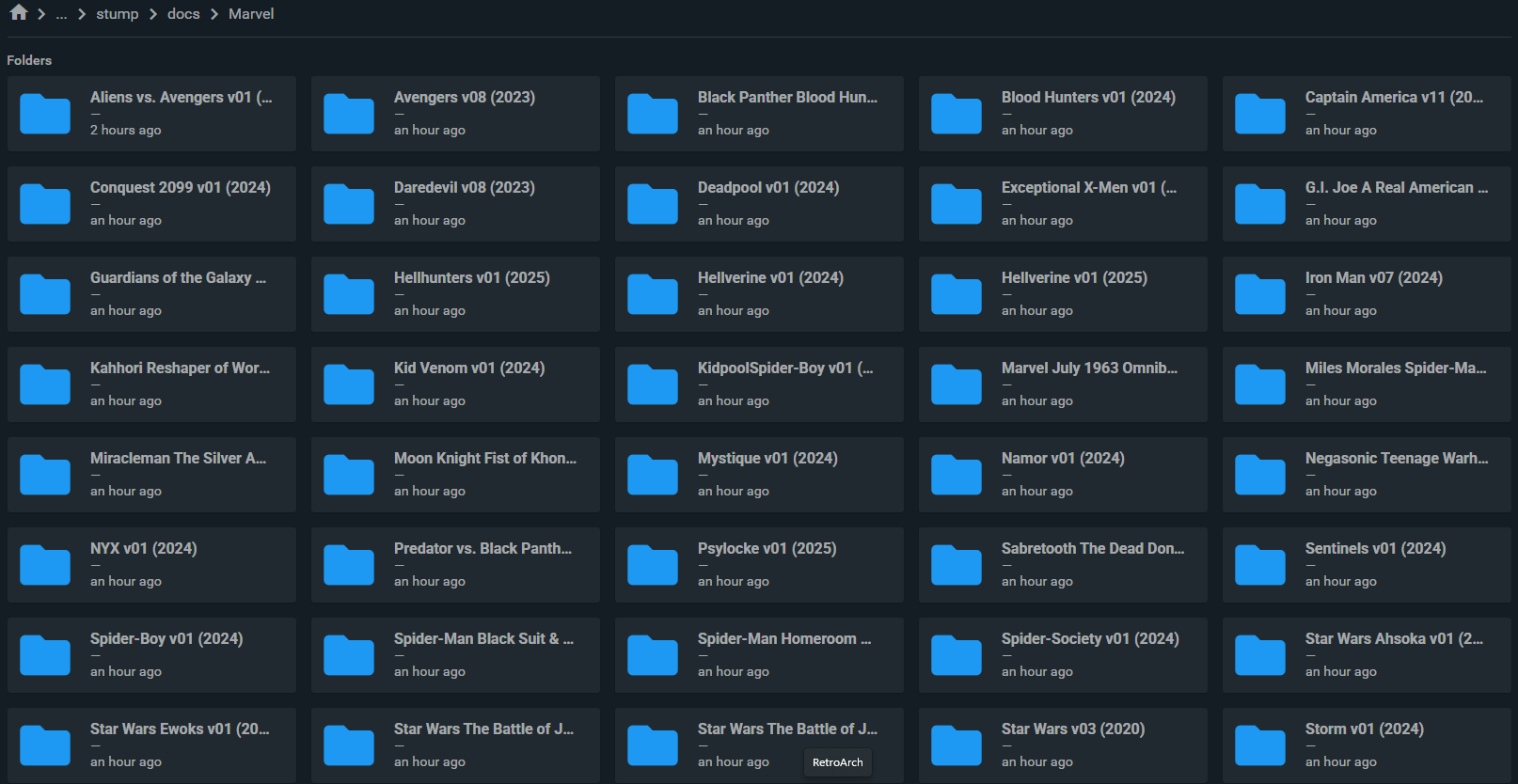
Since I chose "Series Priority" during the library setup process, each folder at any level recursively will be seen as a single series. You can also choose to set it up where each folder at the top-most level of the library root is a single series.

Removing Books from Stump
To remove books, you will have to delete them from your library folder then run the "clean library" task in the library settings under "Deletion".
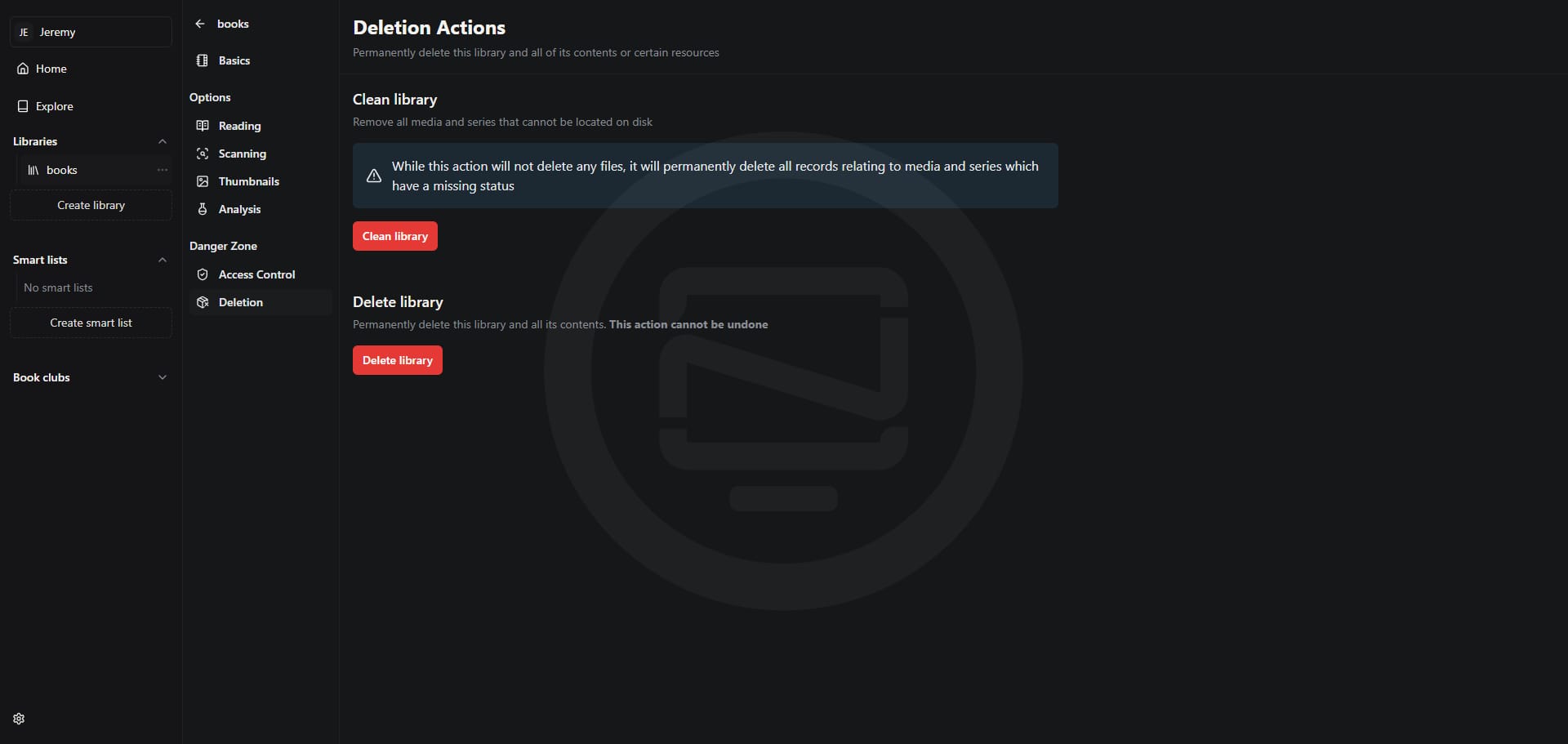
This will help keep your libraries from showing any missing books within the Stump web interface.
Final Notes and Thoughts
While this is a quick overview, there's much more you can do with Stump as outlined in the core features. I encourage you to install it and give it a try. It's an excellent application for reading ebooks, comics, and magazines, featuring a clean and inviting interface. One of my favorite features is its ability to search within books, making it incredibly convenient. With its small footprint, efficient performance, and wide format support, Stump offers a seamless experience on various devices.
Give Stump a star on the Stump Github repo!
 stumpapp


Discussion