


Developers spend so much time organizing other people’s systems that their own often fall apart. Tududi is a reminder that productivity tools don’t need to be flashy or tied to a subscription to work well. It’s a small, open-source task manager that you can run on your own server, built with the kind of simplicity that developers actually appreciate. You spin it up in Docker, log in, and start building structure around your work without fighting the interface. It feels more like software written by someone who codes than someone who markets.
What is Tududi?
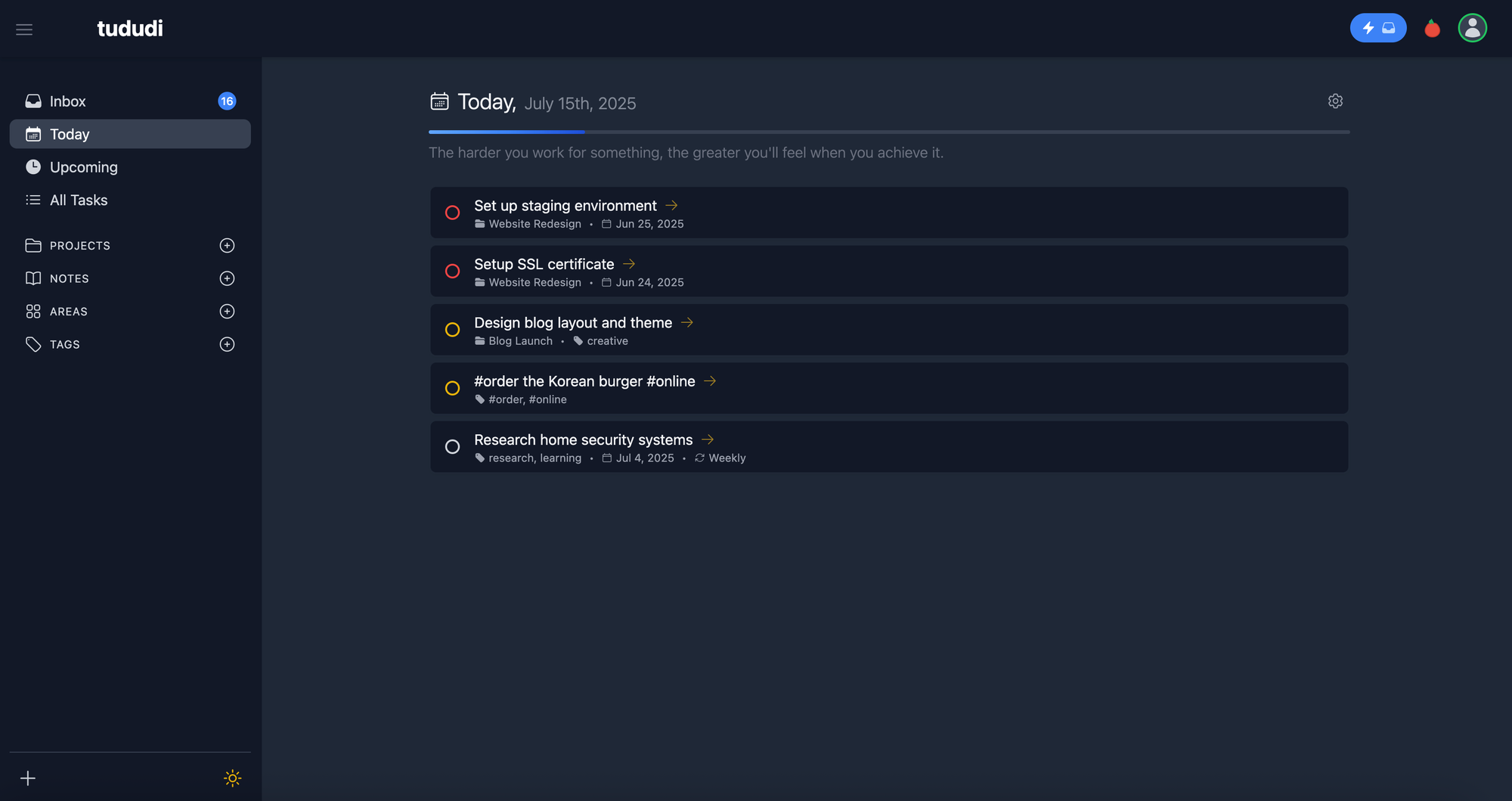
Tududi is a self-hosted task and project manager made for people who want to stay organized and keep full control of their data. It runs easily in Docker and stores everything locally. The layout uses areas, projects, and tasks so you can keep work and personal goals in order. It includes recurring tasks, notes, and tags in a clean interface that works on any device. Tududi keeps things simple, private, and reliable for developers who like to manage their own tools.
Core Features of Tududi
Areas, Projects, and Tasks
Tududi organizes everything in three levels. Areas represent broad categories like Work, Home, or Learning. Each area contains projects, and each project holds tasks and subtasks. It keeps structure without feeling heavy.
Recurring Tasks
You can set tasks to repeat daily, weekly, monthly, or after completion. If you finish a recurring task late, the next one still repeats correctly based on the actual completion date.
Priorities and Tags
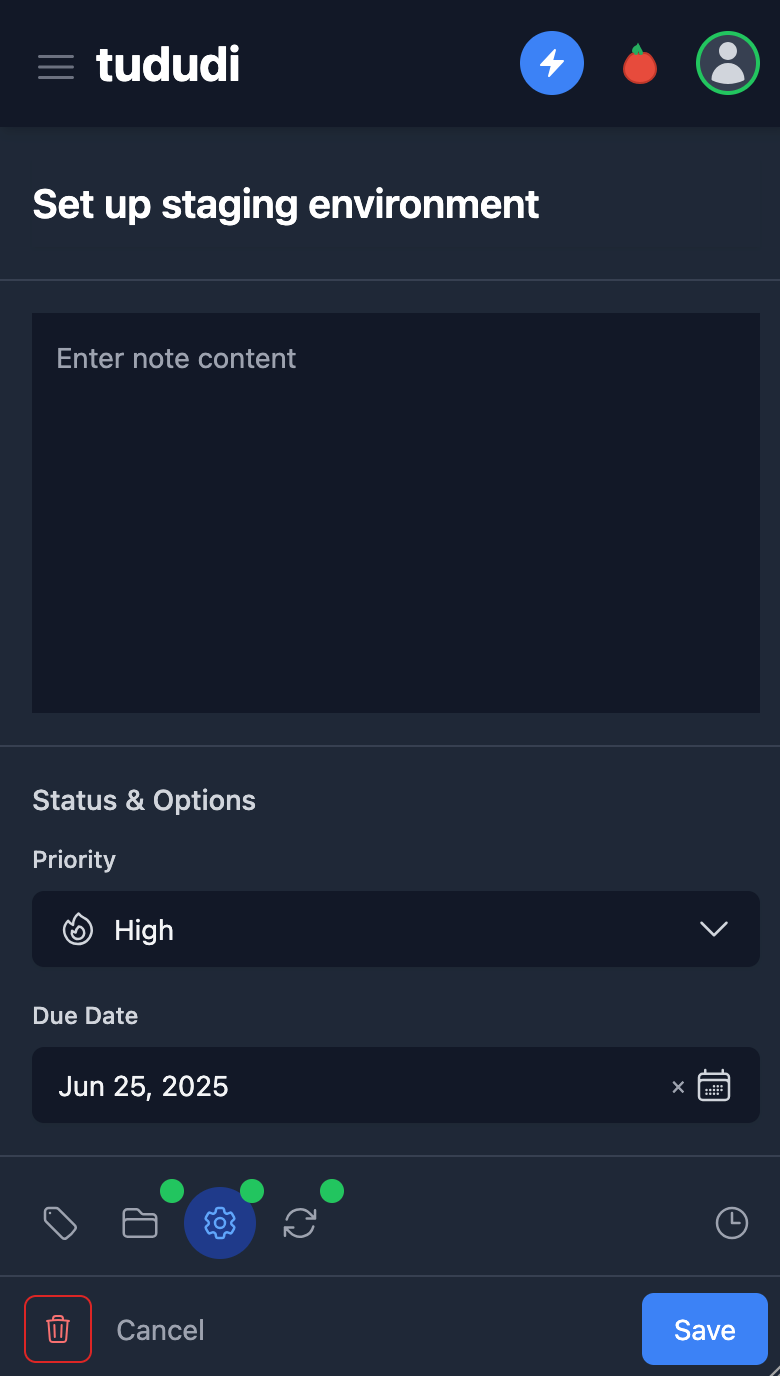
Every task can have a priority level and one or more tags. Tags help you group or filter tasks across different projects so you can focus on what matters most.
Due Dates and Sorting
Tududi helps you stay on top of deadlines with clear due dates and color indicators. You can sort by date, priority, or project to quickly see what needs attention.
Subtasks and Progress Tracking
Large tasks can be broken down into subtasks, and the app automatically tracks progress as you complete them. It is useful for development cycles or long projects.
Project Notes
Each project has its own notes section where you can keep related information such as code snippets, documentation, or ideas. Notes support formatting and stay linked to the right project.
Filtering and Search
You can filter tasks by tag, status, or due date and use search to find items quickly. This is especially helpful once your list grows large.
Multi Language Support
Tududi includes translations for more than twenty languages so the interface can match your preferred language.
Telegram Integration
Tasks can be added through Telegram and you can receive daily reminders directly in chat. It is a convenient option for mobile use without needing a separate app.
Responsive Interface
The interface works on desktop, tablet, and mobile browsers. It supports dark and light themes and automatically adjusts to your system setting.
Self-Hosted Privacy
Everything runs on your own server. No cloud storage or third party access. You control the data, backups, and updates.
Collaboration
Projects can be shared with other users on your instance. You can assign tasks or give read only access, making it useful for small teams or family projects.
Installing Tududi with Docker Compose
Tududi runs inside Docker, so installation is simple. The image is available on Docker Hub, and everything such as the database, uploads, and user accounts stays in your local volumes.
services:
  tududi:
    image: chrisvel/tududi:latest
    container_name: tududi
    restart: unless-stopped
    ports:
      - "3002:3002"
    environment:
      TUDUDI_USER_EMAIL: [email protected]
      TUDUDI_USER_PASSWORD: yourpassword
      TUDUDI_SESSION_SECRET: replace_with_random_hex
      TUDUDI_ALLOWED_ORIGINS: "http://tududi:3002"
    volumes:
      - /docker/tududi/tududi_db:/app/backend/db
      - /docker/tududi/tududi_uploads:/app/backend/uploads
Final Notes and Thoughts
After using Tududi for a while it feels calm and dependable. It does not try to change how you work or demand attention. It gives you a simple space to plan, track, and finish what you start. The more you use it the easier it becomes to stay organized without thinking about it. It is steady and practical software made to help you get things done and then quietly step aside. Be sure to check out the Tududi Github repo and give it a star!


Discussion